
Profiles
Keep your local profile and preferred-device plan together before a meeting. Free does not synchronize or enforce preferences across other applications.
B.O.B.™ THE MEETING APP
B.O.B. (Business Operations Bridge) is the Meeting App that gives Windows 11 users one platform to test devices, store preferences and open supported conferencing tools with confidence across Teams, WebEx, Chime, Meet and Zoom.

B.O.B. Free helps you prepare your devices and preferred setup before a meeting. Your profile stays local, and you confirm the matching settings inside each meeting app. Cross-app enforcement and synchronization remain planned Pro features.
Keep your local profile and preferred-device plan together before a meeting. Free does not synchronize or enforce preferences across other applications.
Discover available cameras, microphones and speakers in one place before a client call begins, without searching through multiple settings menus.
Preview your camera and verify microphone response locally so common audio and video problems are identified before you enter the meeting.
Save your preferred camera, microphone and speaker locally. Confirm those same devices inside each meeting application before you join.
Identify supported conferencing applications on your Windows 11 device and quickly see whether they are installed, available and ready to open.
Bring profile status, device health, stored preferences and application access into one clear dashboard designed to reduce last-minute troubleshooting.
B.O.B. FREE · FOUR QUICK STEPS
A short guided walkthrough using B.O.B. product screens. No installation, camera or microphone access is needed to explore.
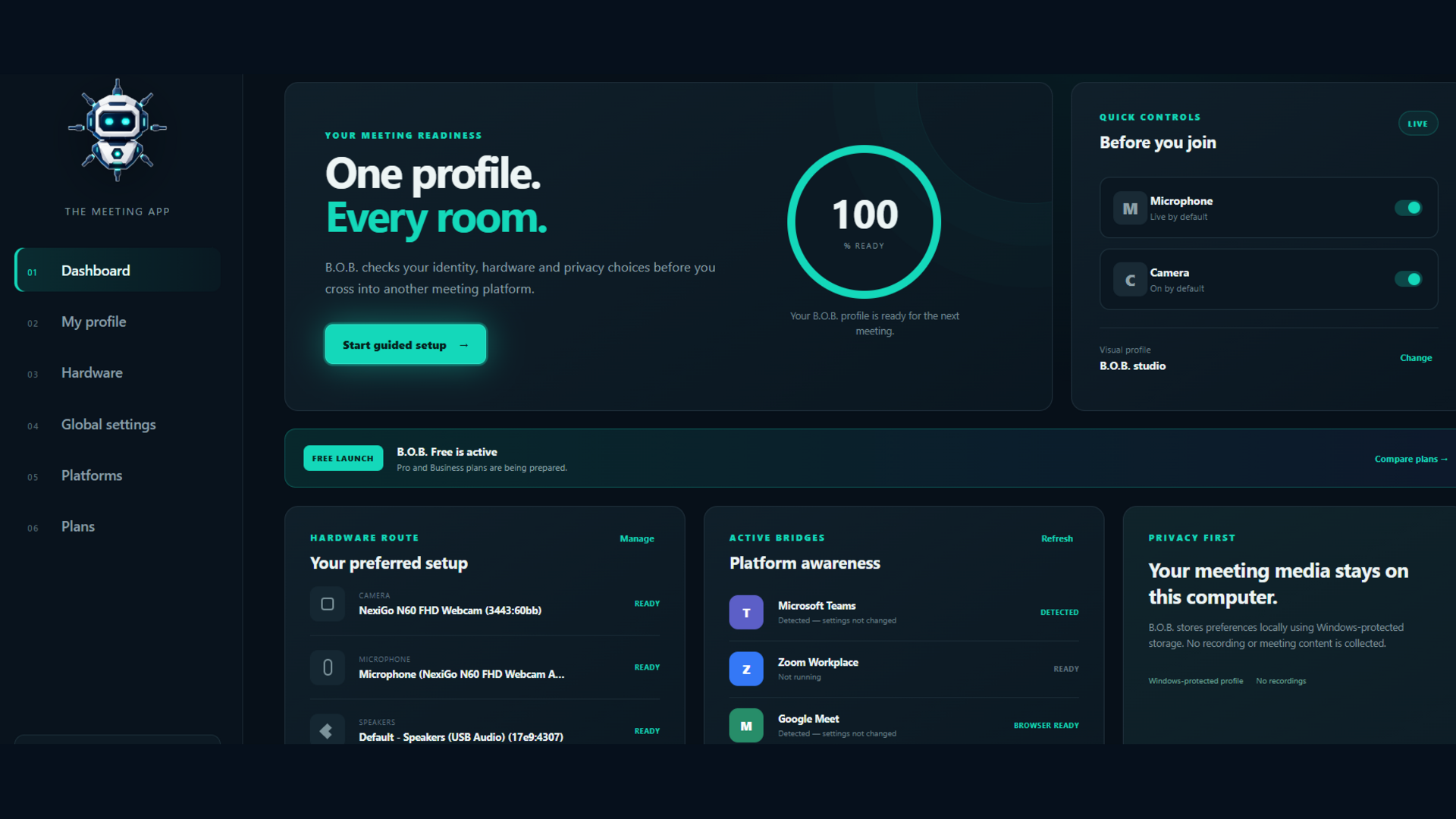
STEP 1 OF 4
Open B.O.B. on Windows 11. Review your local profile and the saved camera, microphone and speaker shown on the dashboard.
Check that the profile and preferred devices are the ones you intend to use.
Open the complete user guide (PDF) ↗AVAILABLE NOW
PLANNED · NOT AVAILABLE IN FREE
These capabilities are planned for Pro. They are not active in the current Free release.
View the planned Pro features →The dashboard brings your meeting readiness, preferred hardware, supported platforms and privacy controls into one clear workspace before you join.
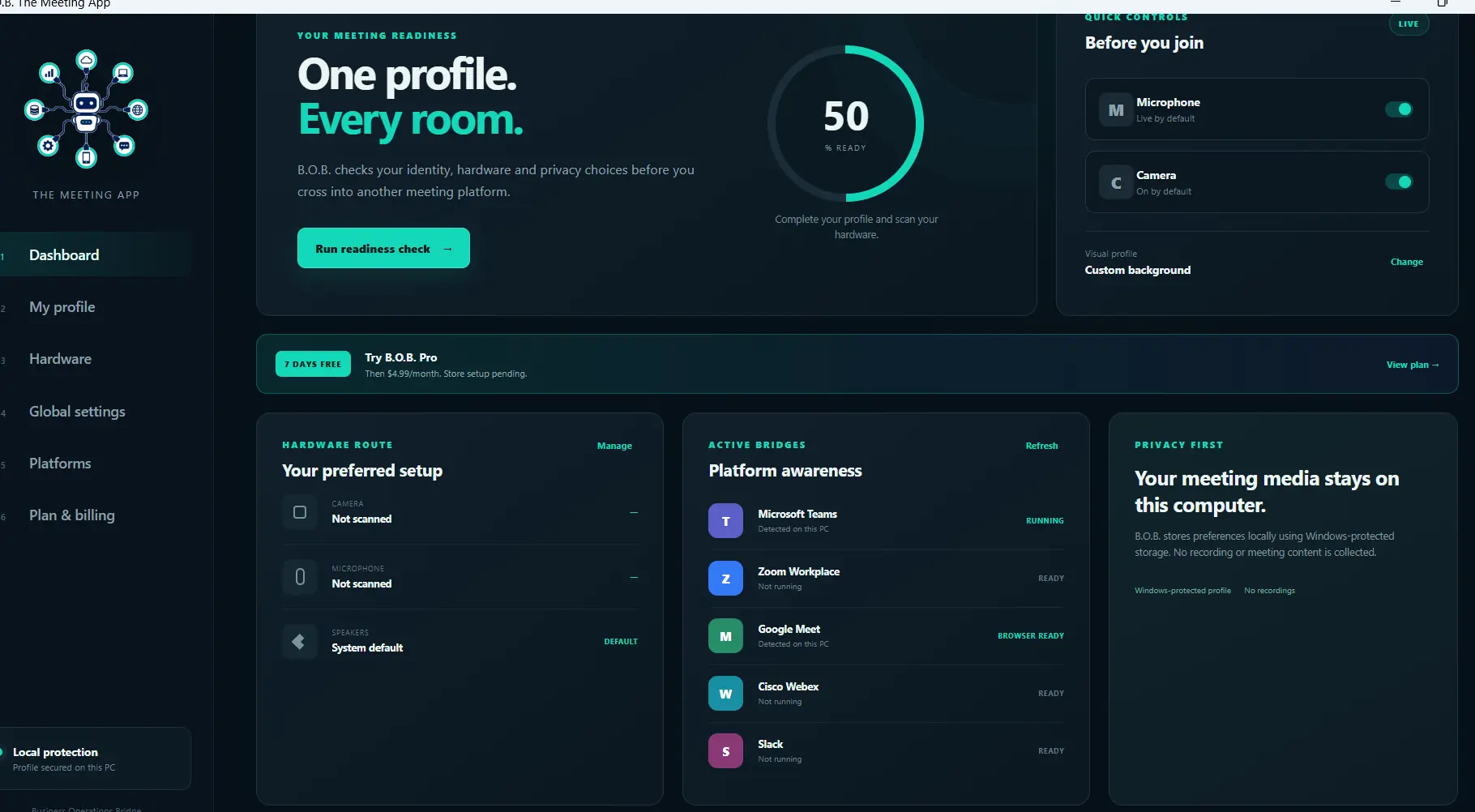
B.O.B. dashboard overview: one profile, every room, with readiness, hardware, platform and privacy controls in one view.